Search K
Appearance
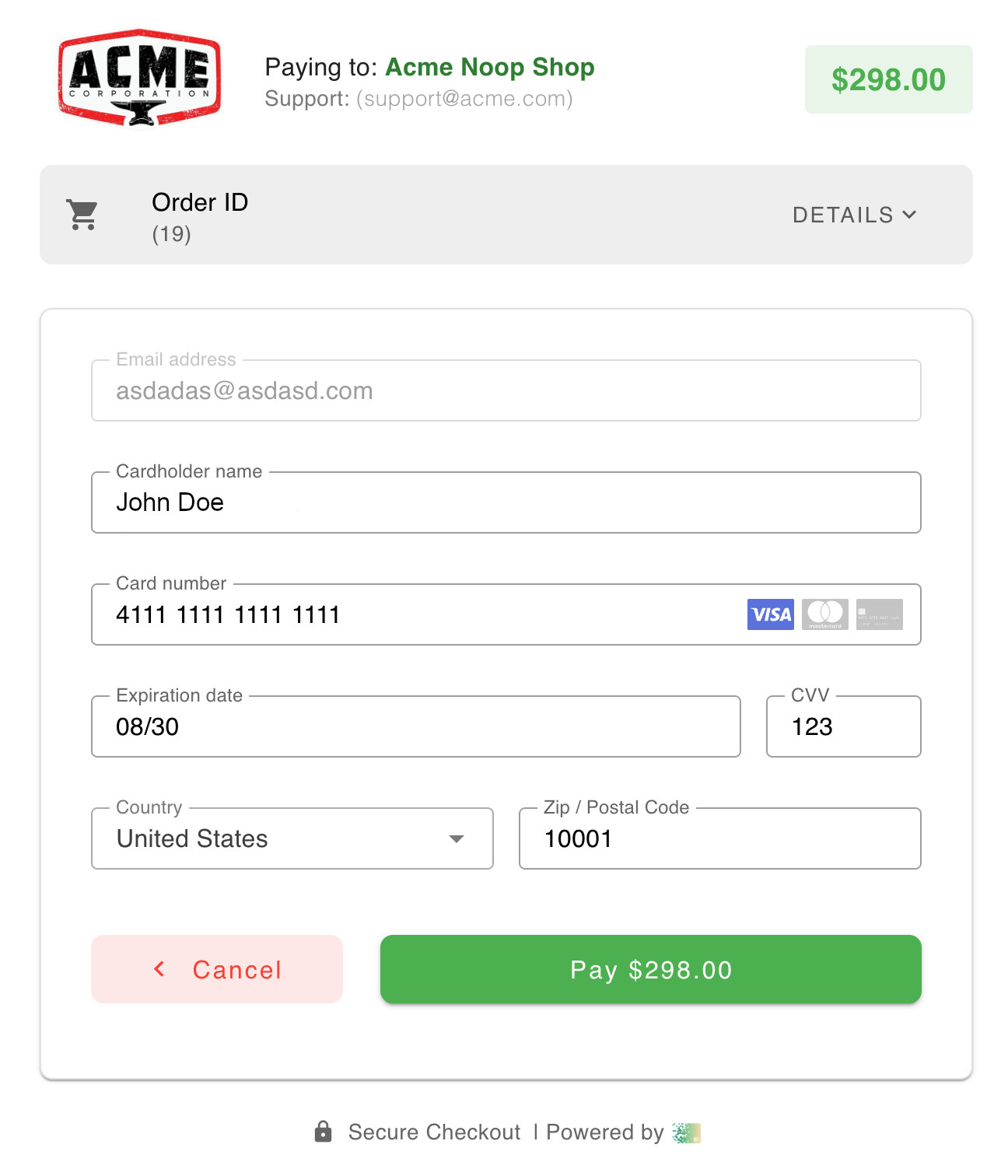
’s Hosted Checkout Page (HCP) offers powerful customization capabilities to provide an optimal and branded shopping experience for your customers. Merchants can adjust the visual elements of the HCP to ensure the checkout process aligns seamlessly with their brand identity.
You have the flexibility to customize the checkout page by modifying colors, fonts, and layout. Additionally, you can personalize the experience further by uploading your logo, adding company information, and including support contact details, which reassures customers that assistance is readily available. The HCP also displays detailed information about the user's current order, such as item descriptions, prices, and quantities, promoting transparency and trust. This ability to offer a cohesive and informative checkout experience can enhance customer satisfaction and potentially reduce cart abandonment.
To configure the Hosted Checkout Page (HCP), merchants should log into the Portal. Inside the portal, they can access a dedicated section for customizing their HCP settings. In this section, users can modify various elements such as the color scheme, fonts, and layout to match their brand's design. Merchants can also upload their company logo and input important support contact information. These adjustments ensure that the checkout process reflects the merchant's brand identity, providing a seamless and reassuring experience for customers.